> ## Documentation Index
> Fetch the complete documentation index at: https://docs.superalign.ai/llms.txt
> Use this file to discover all available pages before exploring further.
# Generate report
To generate reports for policies in SuperAlign, follow these steps:
1. Select the models from the Inventory.  2. This action will navigate you to the Model Summary Page.
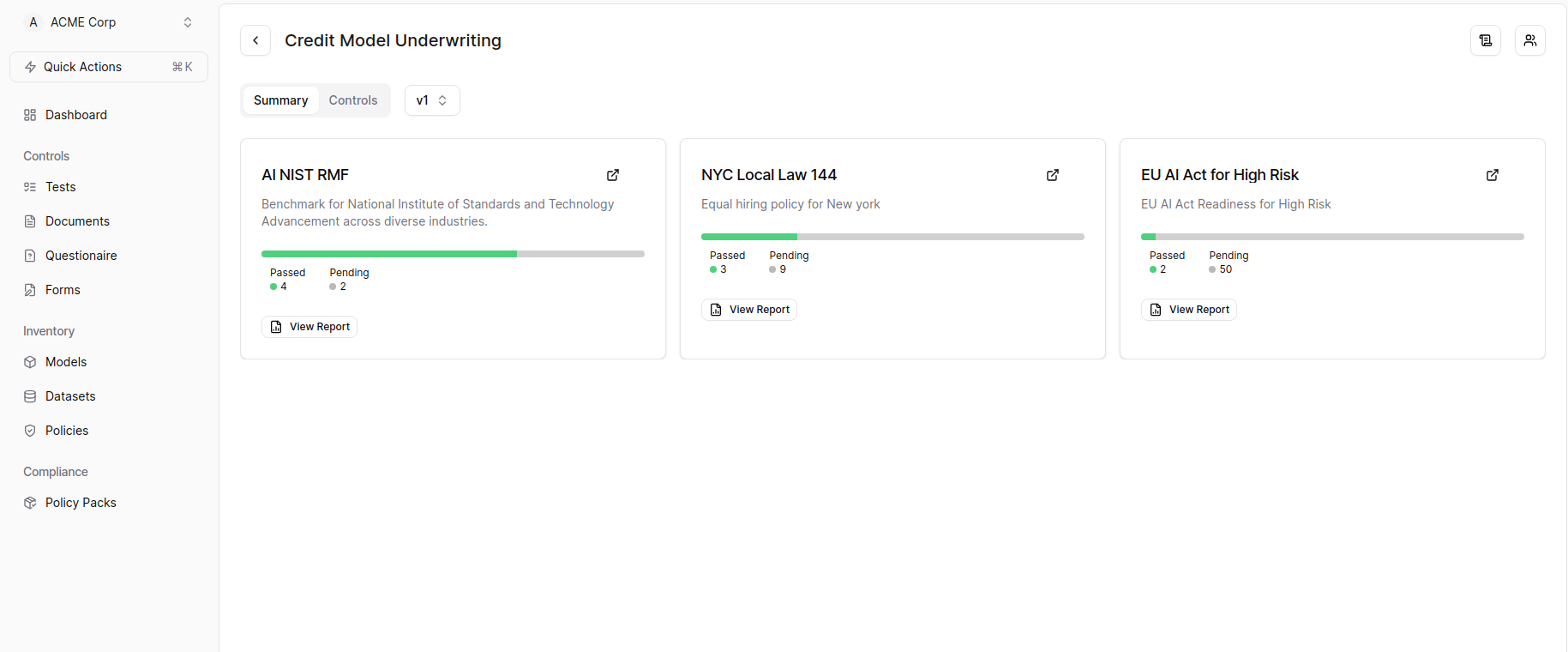 If model summary page is empty or the desired policy is not applied, please refer to the Apply Policy section. You can access the Apply Policy section [here](./apply-policy).
3. On the Model Summary Page, click on the "View Report" button to view the generated report.
4. The report will be displayed in a new tab.
If model summary page is empty or the desired policy is not applied, please refer to the Apply Policy section. You can access the Apply Policy section [here](./apply-policy).
3. On the Model Summary Page, click on the "View Report" button to view the generated report.
4. The report will be displayed in a new tab.  ## Regenerating Reports
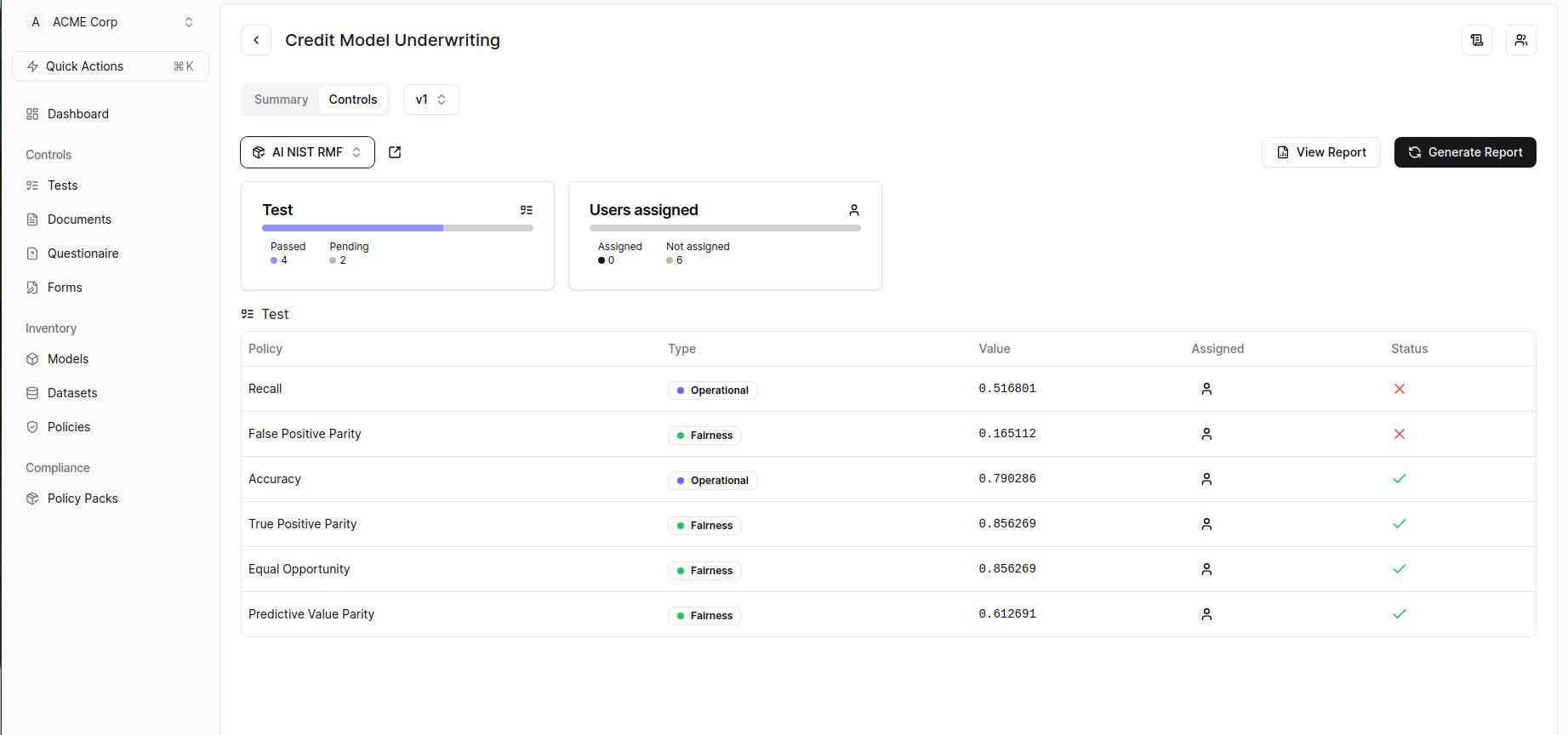
If your documents, questionnaires, or forms have been updated or changed and you have re-evaluated the metrics, you can regenerate the reports in the following way:
1. Navigate to Model Summary Page.
2. Click on Controls tab
3. Click on the "Regenerate Report" button.
## Regenerating Reports
If your documents, questionnaires, or forms have been updated or changed and you have re-evaluated the metrics, you can regenerate the reports in the following way:
1. Navigate to Model Summary Page.
2. Click on Controls tab
3. Click on the "Regenerate Report" button.